
Understanding the Technologies Behind Modern Security Systems
Modern electronic security systems combine a wide range of hardware, software and network infrastructure to detect events, support decision making and protect people, property and assets.
This guide provides an independent overview of the technologies commonly found within electronic security systems. Rather than recommending manufacturers or products, it explains the purpose of each technology, how it operates and where it fits within a complete security solution.
Whether you are specifying a new system, expanding an existing installation or simply looking to understand how different components interact, these guides provide a practical technical reference for the core building blocks of modern electronic security.
Surveillance Cameras
Overview
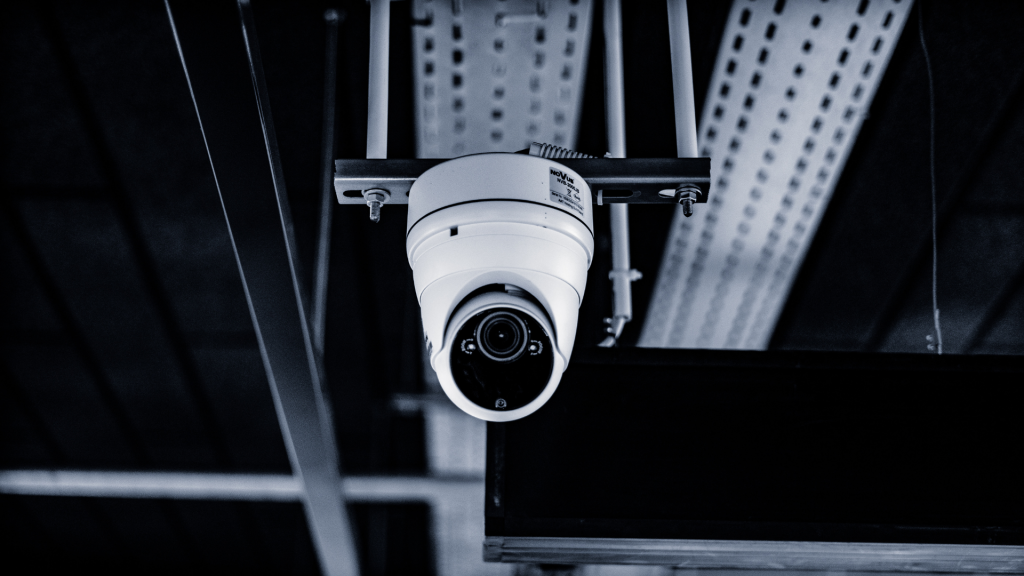
A surveillance camera is an electronic imaging device that captures visual information and converts it into digital video. Within an electronic security system, cameras provide the primary source of visual intelligence, enabling operators and automated systems to monitor activity, detect incidents and collect evidential footage.
Modern IP cameras are considerably more capable than earlier analogue devices. Many now incorporate onboard processing, edge recording, video analytics and artificial intelligence, allowing them to analyse scenes, classify objects and generate events before transmitting video across the network to a Video Management System (VMS).
How does it work?
Light reflected from a scene passes through the camera lens and is focused onto an electronic image sensor. The sensor converts the incoming light into digital information, which is processed to optimise image quality before being compressed into a video stream.
The camera then transmits this stream across the IP network to a Video Management System (VMS), Network Video Recorder (NVR) or cloud platform where it can be viewed live, recorded, analysed or searched. Many modern cameras also perform processing internally, allowing analytics such as intrusion detection, line crossing or object classification to take place within the camera itself.
- Image Sensor: Converts incoming light into a digital image.
- Lens: Focuses light onto the image sensor and determines the camera’s field of view.
- Resolution: Defines the number of pixels used to create the image.
- Wide Dynamic Range (WDR): Balances bright and dark areas within the same scene to improve image quality.
- Low-Light Performance: Enables the camera to produce usable images in challenging lighting conditions.
- Frame Rate: Determines how many images are captured each second.
- Video Compression: Reduces the amount of data transmitted and stored using codecs such as H.264 or H.265.
- Edge Recording: Allows footage to be recorded directly onto onboard storage such as an SD card.
- Video Analytics: Detects predefined events automatically, such as intrusion, line crossing or loitering.
- Artificial Intelligence (AI): Uses machine learning to classify objects and improve the accuracy of automated detection.
Video Management Systems (VMS)
Overview
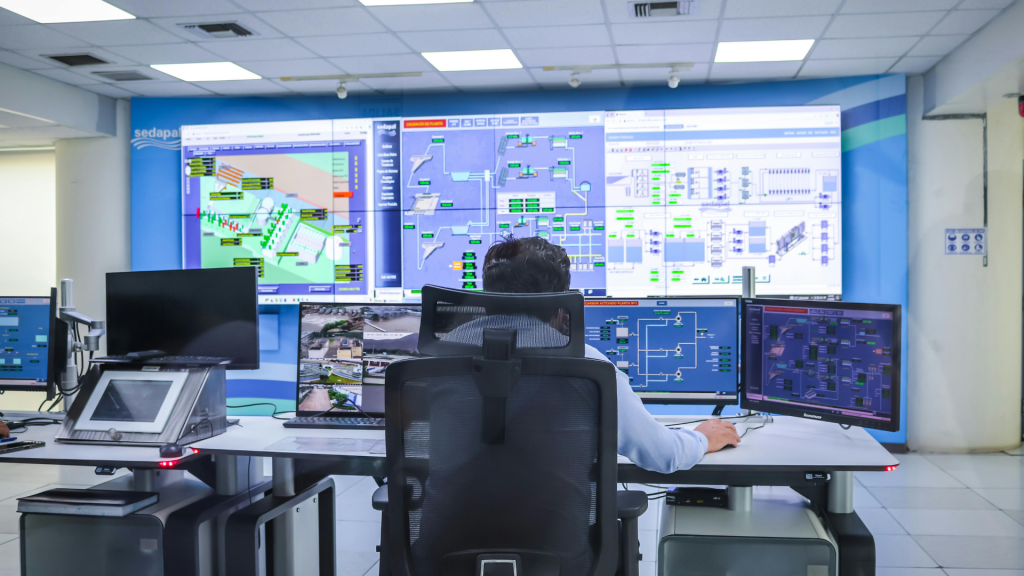
A Video Management System (VMS) is the software platform that manages, records and presents video from network cameras. It provides the interface through which operators monitor live video, search recorded footage, respond to alarms and administer the surveillance system.
Modern VMS platforms can manage anything from a single recorder serving a small business to enterprise deployments spanning thousands of cameras across multiple sites. They also act as the integration point for other security technologies, including access control, intrusion detection, intercoms and video analytics.
How does it work?
IP cameras transmit video across the network to the VMS, either directly or through dedicated recording servers. The VMS manages camera configuration, recording, user permissions and system health while providing operators with tools for live viewing, playback, investigations and evidence export. It also receives events from cameras and integrated systems, allowing alarms, automation and operator workflows to be managed from a single interface.
Key Features
- Live Viewing: Displays video from one or more cameras in configurable layouts.
- Recording: Manages continuous, scheduled or event-driven video recording.
- Playback & Search: Allows operators to locate and review recorded incidents.
- User Management: Controls permissions and access to system functions.
- Event Management: Responds to alarms generated by cameras or integrated systems.
- Maps & Monitoring: Displays device locations and monitors system health.
- Integrations: Connects with access control, intercoms, analytics and other platforms.
- Evidence Export: Produces video clips suitable for investigation or evidential use.
I think this is the right level of detail. The only thing I’d standardise is 8 key features for every technology (like the VMS) so every section has the same rhythm and avoids becoming another design guide.
Access Controllers
Overview
An access controller is the decision-making component of an electronic access control system. It receives information from readers and other input devices, determines whether access should be granted and controls the operation of doors, gates and other secured entry points.
Modern controllers range from single-door units to enterprise platforms capable of managing thousands of doors across multiple sites.
How does it work?
When a user presents a credential, the reader sends the identification data to the access controller. The controller compares the credential against its database or a connected management system, applies the configured access rules and then either unlocks or keeps the door secured. Controllers also monitor door contacts, exit devices, alarms and other field hardware.
Key Features
- Credential Processing: Validates user credentials presented at readers.
- Door Control: Operates electric locks, gates and barriers.
- Input Monitoring: Receives signals from door contacts, exit buttons and sensors.
- Access Rules: Applies permissions based on users, groups, schedules and areas.
- Event Logging: Records all access events and alarms.
- Offline Operation: Continues operating if communication with the management system is lost.
- Integrations: Connects with CCTV, intruder alarms, fire systems and building management systems.
- Network Communication: Exchanges information with management software and other controllers.
Access Control Readers
Overview
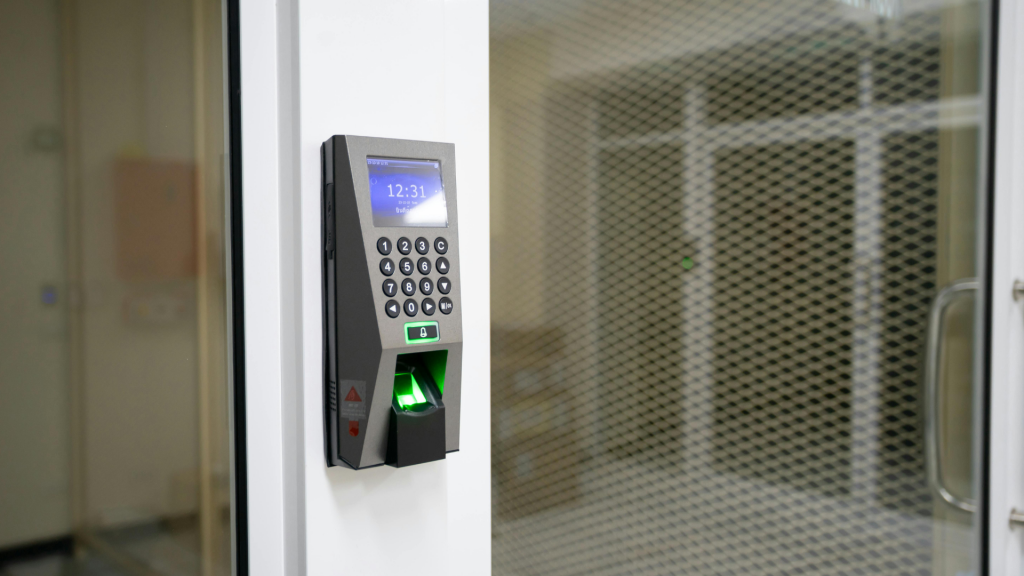
Readers provide the interface between users and an access control system by capturing credentials and transmitting the information to an access controller for verification.
Readers support a wide range of authentication methods, including cards, fobs, PIN codes, smartphones and biometrics.
How does it work?
A user presents a credential to the reader, which captures the identifying information and sends it securely to the access controller. The controller then determines whether access should be granted.
Key Features
- RFID Card Reading: Supports proximity and smart card technologies.
- PIN Entry: Allows authentication using numeric codes.
- Mobile Credentials: Supports smartphone-based access.
- Biometric Authentication: Verifies identity using fingerprints, facial recognition or other biometric methods.
- Multi-Factor Authentication: Combines two or more authentication methods.
- Visual Indicators: Uses LEDs or displays to communicate status.
- Audible Feedback: Provides confirmation through tones or buzzers.
- Secure Communication: Encrypts communication with the access controller.
Intruder Detection & Perimeter Intrusion Detection Systems (PIDS)
Overview
Intruder detection systems identify unauthorised entry into protected areas and generate alarms for operators, monitoring centres or security personnel.
Systems range from small domestic installations to large commercial and critical infrastructure deployments.
How does it work?
Detection devices monitor protected areas for predefined conditions such as movement, door opening or glass breakage. When an alarm condition is detected, the control panel evaluates the event and initiates configured responses.
Key Features
- Motion Detection: Detects movement within protected areas.
- Perimeter Protection: Monitors doors, windows and external boundaries.
- Alarm Processing: Evaluates events before generating alarms.
- Zone Management: Divides premises into individually managed areas.
- User Management: Controls arming and disarming permissions.
- Alarm Notification: Reports alarms locally or to monitoring centres.
- System Health Monitoring: Detects faults and tamper conditions.
- Integration: Shares events with CCTV, access control and other systems.
Intercom & Door Entry Systems
Overview
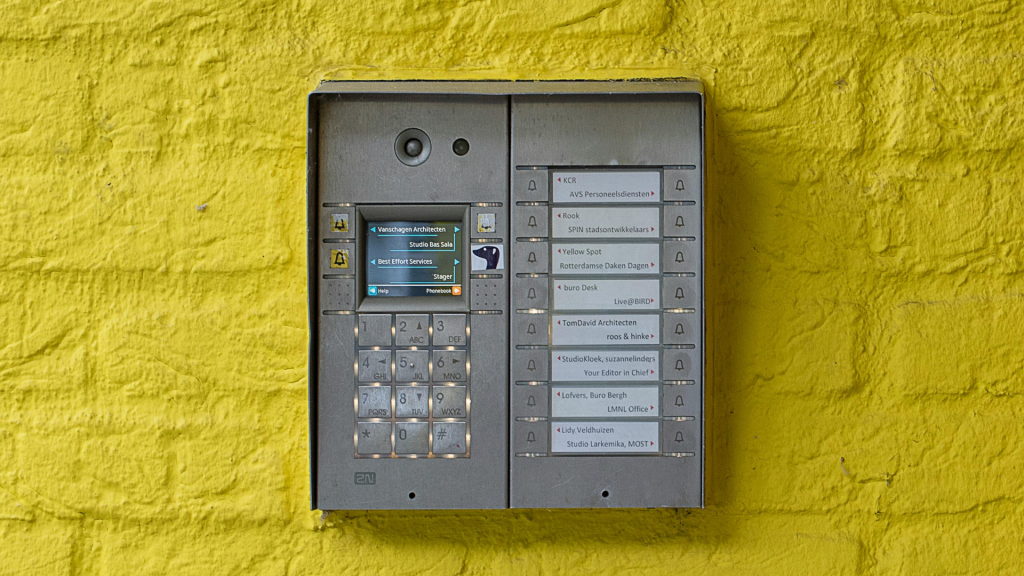
Intercom systems provide audio and video communication between visitors and building occupants, allowing secure identification before access is granted.
Modern IP intercoms often integrate directly with access control and video management platforms.
How does it work?
When a visitor initiates a call, the intercom establishes an audio or video connection with the receiving station or mobile device. The recipient can communicate with the visitor and, where authorised, remotely release the door or gate.
Key Features
- Audio Communication: Supports two-way voice communication.
- Video Calling: Provides live video of visitors.
- Remote Door Release: Unlocks doors or gates remotely.
- Call Routing: Directs calls to operators, reception or mobile devices.
- Directory Services: Allows visitors to locate occupants.
- Event Logging: Records calls and access events.
- Integration: Connects with access control and VMS platforms.
- Network Connectivity: Operates over standard IP networks.
AI Analytics
Overview
AI analytics use machine learning to analyse video and automatically identify people, vehicles, objects and behaviours within a scene.
They enhance operational efficiency by reducing false alarms and enabling intelligent search and automation.
How does it work?
Video frames are analysed using trained AI models that classify objects and recognise predefined events. When configured conditions are met, the system generates alarms, metadata or automated responses.
Key Features
- Object Classification: Identifies people, vehicles and other objects.
- Behaviour Detection: Detects events such as loitering or intrusion.
- Metadata Generation: Creates searchable information about recorded video.
- False Alarm Reduction: Filters unwanted detections.
- Intelligent Search: Locates events using object attributes.
- Automated Alerts: Generates alarms when conditions are met.
- Edge or Server Processing: Operates within cameras or dedicated servers.
- System Integration: Shares events with VMS and other security platforms.
Servers
Overview
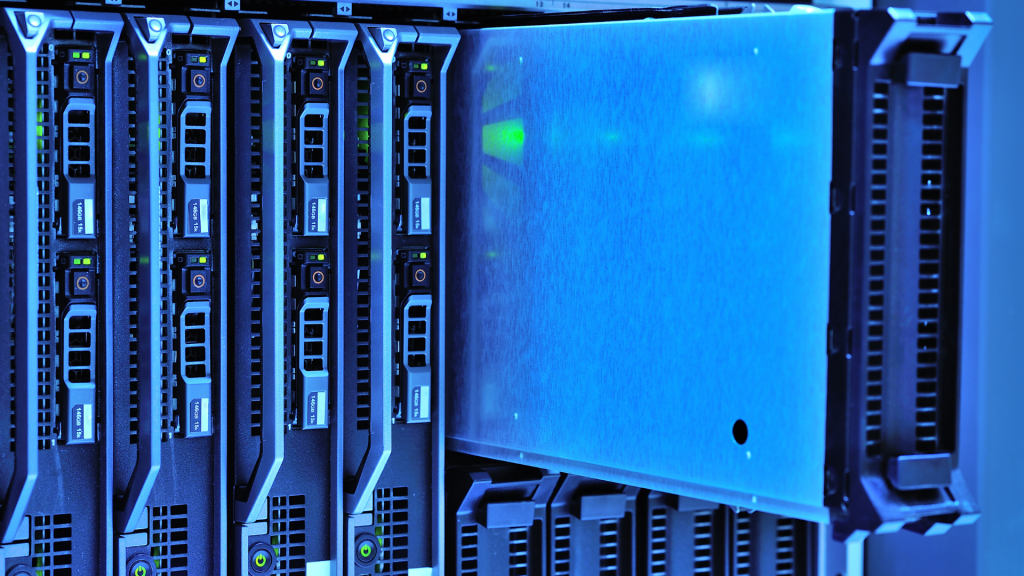
Servers provide the computing resources required to operate electronic security systems, hosting management software, databases, recording services and integrations.
Depending on the application, systems may use physical, virtual or cloud-hosted servers.
How does it work?
Servers receive data from connected devices, process system functions and provide services to operator workstations, mobile applications and integrated platforms.
Key Features
- Application Hosting: Runs security management software.
- Database Services: Stores configuration and event information.
- Recording Services: Processes and records video streams.
- Virtualisation Support: Operates within virtual environments.
- User Management: Authenticates connected users.
- System Monitoring: Monitors health and performance.
- Integration Services: Connects multiple security platforms.
- Redundancy: Supports failover and high availability.
Storage
Overview
Storage systems retain recorded video, system databases and other operational information generated by electronic security systems.
The storage solution selected influences recording capacity, resilience and system performance.
How does it work?
Data generated by cameras and management systems is written to storage devices where it can be retrieved for playback, investigation or evidential purposes.
Key Features
- Video Recording: Stores surveillance footage.
- Database Storage: Retains configuration and system information.
- Scalability: Supports future storage expansion.
- RAID Support: Improves resilience against drive failure.
- Performance: Handles multiple simultaneous read and write operations.
- Retention Management: Maintains recordings for required periods.
- Health Monitoring: Detects storage faults.
- Archive Support: Moves older data to long-term storage.
Networking & Transmission
Overview
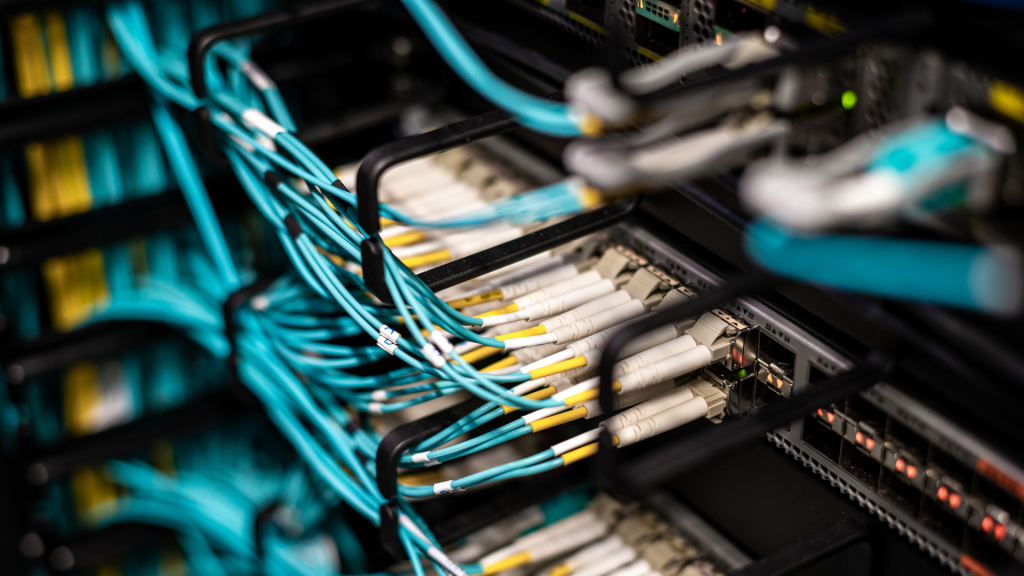
Networks provide the communications infrastructure that connects cameras, controllers, servers, workstations and other devices within an electronic security system.
Modern security systems rely heavily on IP networking for both data and power distribution.
How does it work?
Network switches, routers and other infrastructure transport data between connected devices, enabling communication, recording, monitoring and remote access.
Key Features
- IP Connectivity: Connects all system components.
- Power over Ethernet (PoE): Delivers power and data through a single cable.
- Switching: Directs traffic between connected devices.
- Routing: Connects multiple networks and remote sites.
- Network Segmentation: Separates traffic using VLANs.
- Bandwidth Management: Supports reliable system performance.
- Redundancy: Maintains connectivity during failures.
- Cyber Security: Protects communications from unauthorised access.
Uninterruptible Power Supply (UPS)
Overview
An Uninterruptible Power Supply (UPS) provides temporary electrical power during mains failures, allowing security systems to continue operating or shut down safely.
UPS systems are commonly used to protect servers, recording systems, network equipment and critical security infrastructure.
How does it work?
During normal operation, the UPS charges its internal batteries while supplying power to connected equipment. If the mains supply fails, battery power is automatically provided until normal power is restored or the batteries are exhausted.
Key Features
- Battery Backup: Maintains operation during power failures.
- Power Conditioning: Protects equipment from electrical disturbances.
- Automatic Transfer: Switches seamlessly to battery power.
- Runtime Monitoring: Reports remaining battery capacity.
- Equipment Protection: Reduces the risk of unexpected shutdowns.
- Network Monitoring: Reports status to management systems.
- Alarm Notification: Generates alerts for faults and power events.
- Graceful Shutdown: Supports controlled shutdown of connected servers.
Displays
Overview
Displays present live and recorded information from security systems, allowing operators to monitor events, investigate incidents and manage alarms.
They range from desktop monitors to large video walls within control rooms.
How does it work?
The display receives video and system information from workstations, decoders or management platforms and presents it to operators in real time.
Key Features
- Live Video Display: Presents real-time camera views.
- Playback Display: Shows recorded footage.
- Multi-View Layouts: Displays multiple cameras simultaneously.
- Video Wall Support: Operates across multiple screens.
- High Resolution: Provides clear image presentation.
- Alarm Display: Automatically presents priority events.
- Operator Interaction: Supports user control and investigations.
- System Integration: Displays information from multiple security systems.
Understanding Security Systems as a Whole
The technology guide above describes components that perform a specific role within an electronic security system. Individually they provide valuable functionality, but it is their integration that enables organisations to detect threats, support decision making and protect people, property and assets.
Understanding what each technology does is only the first step. Successful security systems depend on selecting the right technologies, defining clear operational requirements and engineering them into a coherent solution that delivers the required operational outcomes.
Whether designing a small standalone installation or a large enterprise deployment, every project should begin with understanding the problem before selecting the technology.
Continue Exploring
- Knowledge Base: Learn the engineering principles, terminology and standards that underpin modern electronic security systems.
- Security Design Process: Understand the methodology used to transform operational requirements into complete security solutions.
- Design Guides: Explore detailed guidance on designing CCTV, access control, intruder detection and integrated security systems.
- Free Engineering Tools: Use practical calculators and design tools to support specification and system design.